Simple Resume Format — Plain, Clean and Easy to Edit
Sometimes the best resume is the plainest one. A simple format with clear headings, no columns and no graphics is easy for anyone to read — a shop owner, an HR executive or an ATS system — and works for almost every job.
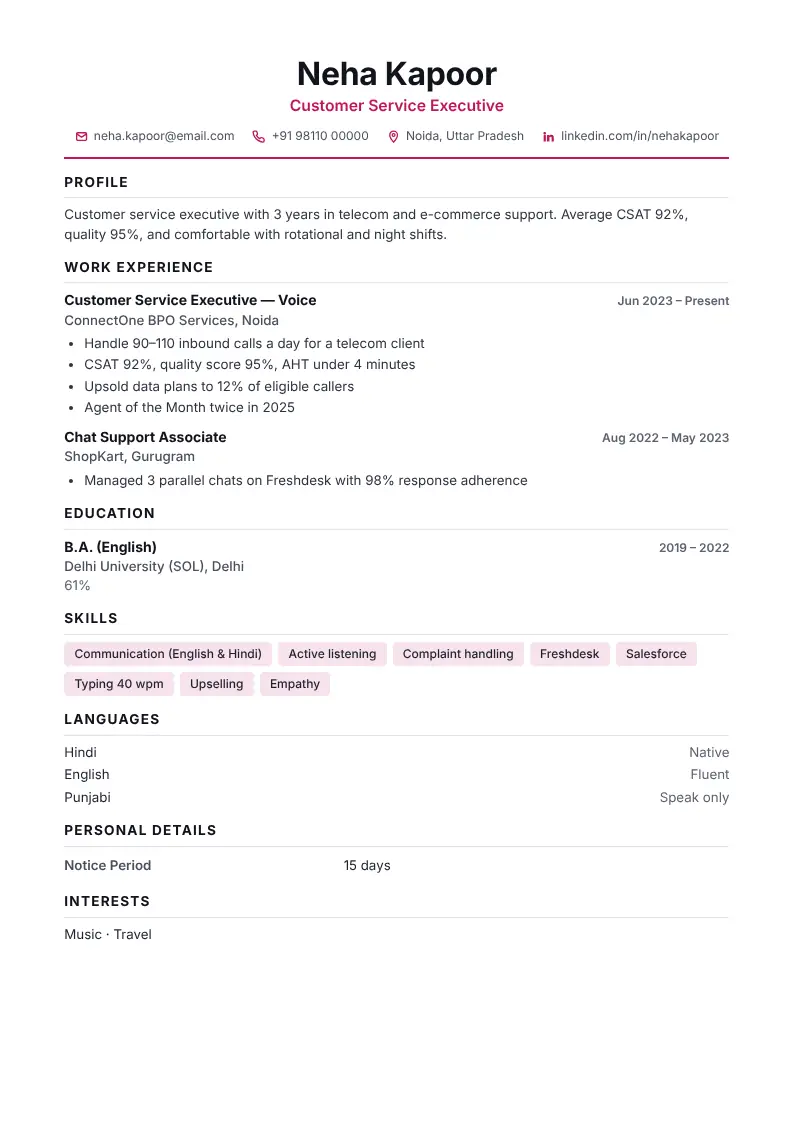
Format: section by section
- Name and contactBig, clear name; phone, email and city in one line.
- ProfileTwo or three lines about you.
- ExperienceMost recent job first, with 3–5 bullet points each.
- EducationHighest qualification first.
- SkillsA single comma-separated line or chips.
- LanguagesVery useful in India — always add.
Why simple works
A simple format has one column, standard headings (Profile, Experience, Education, Skills) and plain fonts. It prints well in black and white, opens correctly on phones and passes through applicant tracking systems without errors.
How to keep it simple but strong
- Use bullet points, not paragraphs.
- Start each point with an action word: managed, sold, built, reduced.
- Add one number to each job: customers, sales, records, students.
- Use one accent colour at most.
- Leave white space — do not shrink the font below 9 pt.
Best CV Dost designs for a simple resume
Classic (centred header with a single line), Minimal (labels on the left) and Indian Format (table-style education) are the simplest. You can switch between them at any time — your text stays the same.
Type once, see your CV in 10 designs
Open CV makerDownload as PDF, Word or image. Your details stay on your device.
Frequently asked questions
What is a simple resume format?
A one-column layout with standard headings — profile, experience, education, skills and languages — and no graphics or tables that confuse readers or ATS software.
Is a simple resume better than a creative one?
For most Indian jobs, yes. Creative designs suit marketing and design roles; everyone else is better served by a clean, simple layout.
Can I get a simple resume in Word format?
Yes. In the CV Dost maker, open More → Word (.doc) to download an editable Word file.